
Share:

What to Look for in a Survey Tool: A Practical Buyer's Guide
Analytics and reporting
Collecting responses is the straightforward part. Making sense of them is where survey tools diverge sharply. Basic platforms give you bar charts and CSV exports. Better ones offer real-time dashboards, cross-tabulation (filtering results by segment, question or time period), trend tracking across survey waves, and automated text analysis for open-ended responses.
A growing number of tools now use AI to identify themes in qualitative data, cluster similar responses, and flag outliers. This is genuinely useful when you are processing hundreds or thousands of open-text answers. It is less useful for a 50-person beta test where you can read every response yourself.
The practical question to ask is this: can you get from raw data to a shareable insight without exporting to a spreadsheet? If the answer is no, you will spend more time on reporting than on research. If the tool has built-in dashboards, check whether they are actually customisable or just pre-set templates you cannot modify. Do they have access to data science tools like TURF/Reach, Correlation Analysis etc?
Look for export options too. Can you export to CSV, Excel, SPSS or PDF? If your data team uses R or Python, can you pull data via API? These details matter more than they seem during a demo.
Integrations
This is where honest self-assessment matters. Many survey tools advertise 50 or more integrations on their pricing page, but the ones that actually affect daily workflows for most marketing teams are CRM connections (HubSpot, Salesforce), email marketing platforms (Klaviyo, Mailchimp), analytics tools (GA4, Mixpanel), and team communication (Slack, Microsoft Teams for survey completion notifications).
If your team does not currently rely on integrations, do not pay a premium for them. If you do, test the specific integration you need during your trial period. "Integrates with Salesforce" can mean anything from a native bi-directional sync with custom field mapping to a basic Zapier connector that breaks the moment you use a non-standard field type. Ask for a demo of the exact integration, not just a screenshot.
Panel access
If you need to survey people who are not in your existing customer database, you need access to a consumer panel. Some survey platforms offer built-in panels with demographic targeting (age, gender, location, income, interests), which eliminates the cost and complexity of sourcing respondents through a separate panel provider.
When evaluating panels, ask about sample quality, panel size in your target geography, typical response time, and how responses are screened for fraud and satisficing behaviour. Cheap panel responses filled with bots and speeders are worse than having no responses at all, because they pollute your data without being obviously wrong.
Also ask how panel costs are structured. Per-complete pricing (you pay per finished response) is standard, but rates vary widely depending on targeting criteria. A general population sample in the US might cost 2 to 5 pounds per complete. A niche B2B audience could cost 30 or more.
Pricing: what to actually compare
Survey tool pricing is famously opaque. Some platforms charge per response, some per user seat, some per survey. A few charge separately for features that others include free of charge (logic, branding, data exports, API access).
The most useful comparison method is total annual cost for your expected usage. Map out the numbers that matter: how many surveys will you run per quarter, how many responses do you expect per survey, how many team members need access, and which features are required versus nice-to-have. Then request quotes from your shortlisted vendors based on that usage scenario.
Watch out for per-seat pricing that looks cheap in isolation. If four people on your team need access, a 50-pound-per-seat plan costs 2,400 a year before you even count response volume. A flat-rate plan with unlimited seats might be cheaper at that scale.
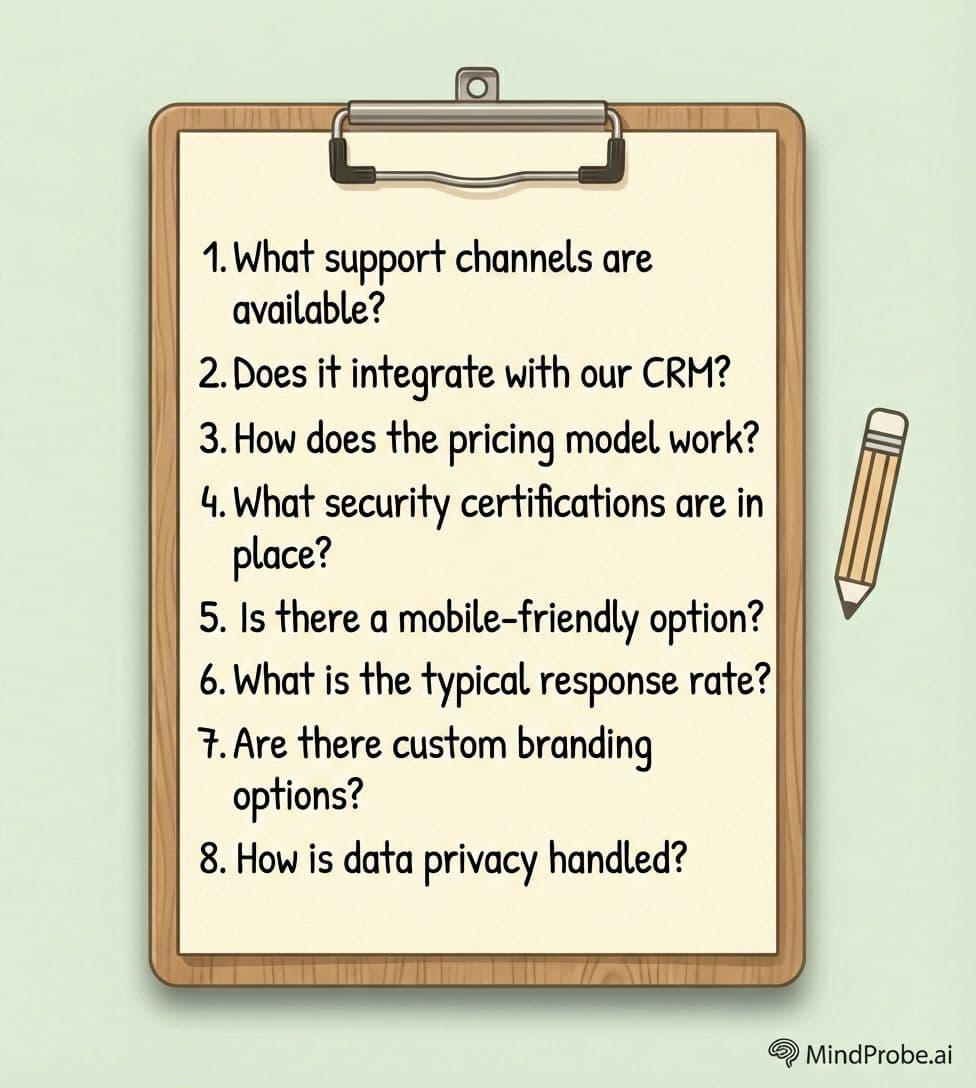
Questions to ask vendors before you sign
The answers to these questions will reveal more about a platform than any feature comparison spreadsheet.
• Can I set brand defaults at the account level, or do I have to brand each survey individually?
Share:
More in Uncategorized
View categoryShaping the Tri-City Skyline: A Deep Dive into Jubilee Group’s Iconic Portfolio
Explore luxury residential apartments, independent floors, and commercial spaces by Jubilee Group Mohali. Find RERA Approved properties.
READ ARTICLEPlanning Skill-Based Training Activities with a Professional Basketball Hoop and Football Drill Equipment
Developing sports skills takes regular practice, clear goals, and suitable training equipment. Whether players are learning to shoot a basketball or improving their football passing, each activity should focus on specific movements and techniques.
READ ARTICLEDefence Investments Boost Demand for Military Simulation and Training Solutions
The global military synthetic and digital training solution market size was valued at USD 15174.05 million in 2025 and is projected to grow from USD 16479.02 million in 2026 to USD 31883.79 million by 2034, registering a CAGR of 8.6% during the forecast period from 2026 to 2034. North America dominated the military synthetic and digital training solution market with a market share of 38.4% in 2025.
READ ARTICLE