
Globhy
CCCorporate Connect2 hours ago

One Simple Security Habit That Can Protect Your Business Email

Business

Learn one simple security habit that protects your business email from phishing and Business Email Compromise. Discover how XgenPlus strengthens email security with 2FA.
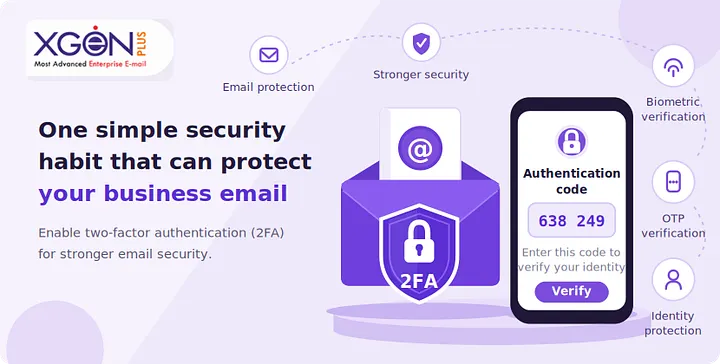
One Simple Security Habit That Can Protect Your Business Email

The simplest and most effective habit to protect youo verify every unexpected email before you trust it. Whether it's a request for payment, password reset, invoice approval, or confidential data, taking a few seconds to verify the sender through a trusted channel can prevent phishing attacks, business email compromise (BEC), and costly data breaches. When combined with a secure business email platform, this single habit significantly strengthens your organization's cybersecurity. 

What Does "2FA Strong Email Security" Mean? 

2FA Strong Email Security is XgenPlus's approach to protecting business email by combining secure user habits with Two-Factor Authentication (2FA). Even if an attacker steals a password through phishing, the second authentication factor helps prevent unauthorized access to business email accounts. 

Cybercriminals don't usually break into organizations by hacking firewalls; they manipulate people through email. A simple habit of "Stop. Verify. Then Act." prevents employees from becoming victims of phishing emails and Business Email Compromise (BEC), making it one of the highest-return security practices any organization can adopt.

The Biggest Cybersecurity Risk Isn't Technology - It's Trust

Every day, businesses receive hundreds or thousands of emails.

Most are legitimate.

Some are not.

Attackers know employees are busy, so they create convincing emails that appear to come from:

The goal is simple:

Convince someone to click, download, transfer money, or share sensitive information.

That's why enterprise email security is no longer just about spam filtering; it is about helping users make safer decisions.

The Golden Rule

Whenever an email asks you to:

Always verify it using another communication channel.

Key Takeaway: A 30-second verification can prevent a multi-million-dollar security incident.

What Is Secure Business Email?

A secure business email system protects communication through encryption, authentication, identity verification, malware protection, and administrative controls. It helps organizations ensure emails are authentic, confidential, compliant, and resistant to phishing, spoofing, and unauthorized access.

Beyond Basic Email Hosting

Modern secure business email solutions provide much more than inboxes.

Core security capabilities include:

For organizations handling sensitive information, additional capabilities such as data sovereignty and on-premises hosting become equally important.

Why Data Sovereignty Matters

Many organizations, including government agencies, regulated industries, defense organizations, and enterprises, must ensure that their email data remains within approved jurisdictions.

Keeping data under organizational or national control helps:

Key Takeaway: Security is not just about blocking attacks; it is also about protecting where and how your data is stored.

Why Phishing Emails Still Succeed

Most phishing emails succeed because they exploit human psychology rather than technical vulnerabilities. Urgency, authority, curiosity, and fear encourage employees to act before verifying the message, making awareness and verification essential parts of enterprise email security.

How Attackers Manipulate Users

Common phishing techniques include:

Fake Invoice Emails

"Payment overdue. Please review immediately."

CEO Fraud

"I need this transfer completed within 30 minutes."

Password Expiration

"Your email account will be disabled today."

Fake Cloud Storage Links

"Someone shared confidential documents."

HR Notifications

"Updated salary policy attached."

These messages often appear professional and convincing.

The only reliable defense is verification.

Common Warning Signs

Key Takeaway: Technology blocks many phishing attempts, but informed users stop the attacks that bypass filters.

Understanding Business Email Compromise (BEC)

Business Email Compromise (BEC) is a targeted cyberattack in which criminals impersonate trusted individuals or organizations to trick employees into transferring money or revealing confidential information. Unlike traditional phishing, BEC often contains no malicious links or attachments, making it harder to detect.

Why BEC Is So Dangerous

Attackers often research organizations before sending emails.

They may know:

The result is an email that appears completely legitimate.

Example Scenario

An accounts payable executive receives an email appearing to come from the CFO:

"We've updated our vendor's bank account. Please process today's payment using the attached details."

Everything looks authentic.

Without verification, the payment goes directly to attackers.

Prevention Checklist

Key Takeaway: BEC targets trust, not technology.

One Habit Every Employee Should Follow: Stop. Verify. Then Act.

The "Stop. Verify. Then Act." habit encourages employees to pause before responding to unusual emails, confirm the sender through a trusted communication channel, and only then proceed. This simple process significantly reduces successful phishing and Business Email Compromise attacks.

A Three-Step Security Routine

Step 1: Stop

Avoid reacting immediately to urgent requests.

Step 2: Verify

Contact the sender using:

Never reply directly to the suspicious email for verification.

Step 3: Act

Proceed only after confirmation.

Organizations that consistently reinforce this habit often experience fewer successful email-based attacks.

Key Takeaway: Good cybersecurity starts with deliberate decision-making, not rushed reactions.

Technology + Human Awareness: The Strongest Defense

No security platform can stop every attack on its own. Combining advanced enterprise email security technologies with continuous employee awareness creates a layered defense that is far more effective than relying on either technology or training alone.

Best Practices for Organizations

Security Measure

Purpose

Business Benefit

Multi-Factor Authentication

Protects accounts

Prevents unauthorized access

Email Encryption

Secures communication

Protects confidential data

DMARC, SPF & DKIM

Verifies sender identity

Reduces spoofing

Employee Awareness Training

Reduces human error

Lowers phishing success

Regular Security Audits

Finds weaknesses

Improves resilience

Backup & Recovery

Business continuity

Faster incident recovery

Key Takeaway: Layered security provides stronger protection than any single control.

Why Organizations Choose XgenPlus for Secure Business Email

Organizations looking for greater control over privacy, compliance, and email security often choose XgenPlus because it offers secure business email solutions with options that support data sovereignty, on-premises hosting, enterprise-grade security, and business-focused collaboration.

Security Features Businesses Value

A modern secure email platform should include:

For government agencies, regulated industries, defense organizations, and enterprises with strict compliance requirements, maintaining ownership and control over email infrastructure can be a strategic advantage.

Key Takeaway: Secure email is not only about protection; it is also about maintaining control over business-critical communication.

How AI Software Development Is Improving Email Security

Advances in AI Software Development are helping organizations identify phishing patterns, detect anomalous behavior, prioritize threats, and automate incident response. AI strengthens email security by improving detection speed while supporting human analysts with contextual insights.

Examples of AI in Email Security

Modern AI systems can:

However, attackers also use AI to craft more convincing phishing emails.

This makes employee verification habits even more valuable.

Key Takeaway: AI enhances security, but informed users remain an essential line of defense.

Common Mistakes That Increase Email Security Risks

Many email breaches occur because of avoidable mistakes rather than sophisticated hacking techniques. Identifying these common errors helps organizations strengthen their overall security posture and reduce opportunities for cybercriminals.

Avoid These Mistakes

Key Takeaway: Small mistakes can have significant business consequences.

Expert Best Practices for Enterprise Email Security

Organizations that consistently reduce email-related cyber risks combine technology, governance, employee awareness, and continuous improvement. A proactive, layered strategy is more effective than reacting after an incident occurs.

Security Checklist

✓ Implement Multi-Factor Authentication

✓ Deploy DMARC, SPF, and DKIM

✓ Conduct phishing simulations

✓ Train employees regularly

✓ Encrypt sensitive emails

✓ Maintain secure backups

✓ Monitor unusual account activity

✓ Review access permissions periodically

✓ Establish incident response procedures

✓ Encourage employees to report suspicious emails

Key Takeaways

Frequently Asked Questions (FAQ)

1. What is a secure business email?

A secure business email system protects communication using encryption, authentication, access controls, anti-phishing technologies, and compliance-focused security measures.

2. What are phishing emails?

Phishing emails are fraudulent messages designed to trick recipients into revealing credentials, downloading malware, transferring money, or sharing confidential information.

3. What is Business Email Compromise (BEC)?

BEC is a targeted cyberattack where criminals impersonate trusted individuals or organizations to deceive employees into making unauthorized payments or disclosing sensitive information.

4. Why is verifying emails so important?

Verification helps prevent employees from acting on fraudulent requests, reducing the likelihood of successful phishing attacks and financial fraud.

5. What is data sovereignty in email security?

Data sovereignty refers to ensuring that email data is stored and governed according to the laws and regulations of a specific country or jurisdiction.

6. Who benefits from on-premises hosting?

Government organizations, defense sectors, regulated industries, financial institutions, healthcare providers, and enterprises with strict compliance requirements often benefit from on-premises hosting because it provides greater control over infrastructure and sensitive data.

7. Can AI completely prevent phishing attacks?

No. AI significantly improves threat detection and response, but human judgment and verification remain essential because attackers continuously adapt their techniques.

8. How often should employees receive phishing awareness training?

Most cybersecurity experts recommend regular awareness training throughout the year, supplemented by simulated phishing exercises to reinforce secure behavior and keep pace with evolving threats.

Conclusion

Cybersecurity doesn't always require complex solutions. Sometimes, the most effective defense begins with a simple habit: Stop. Verify. Then Act. By encouraging employees to verify unexpected requests before responding, organizations can significantly reduce the risk of phishing emails and Business Email Compromise.

When this habit is reinforced with secure business email, strong authentication, employee training, AI-powered threat detection, and deployment options that support data sovereignty and on-premises hosting, businesses build a resilient email security strategy that protects both operations and reputation.

Protect Your Business Email with XgenPlus

Email remains the primary communication channel for most organizations and one of the most targeted by cybercriminals. If you're evaluating a secure business email platform that prioritizes enterprise security, privacy, compliance, and deployment flexibility, XgenPlus offers solutions designed to meet the needs of businesses, government organizations, and regulated industries.

Explore how XgenPlus can help your organization strengthen enterprise email security, maintain control over sensitive data, and build a more secure communication environment.

Share this article

More in Business

View category