
Globhy
CCCorporate Connect1 hour ago2 views

Share:

On-Premise vs Cloud vs Private Cloud Email: Which Is Best?

Business

Compare on-premises, cloud, and private cloud email solutions. Learn about security, cost, PKI, IDN, data sovereignty, BFSI requirements, scalability, and business email selection.
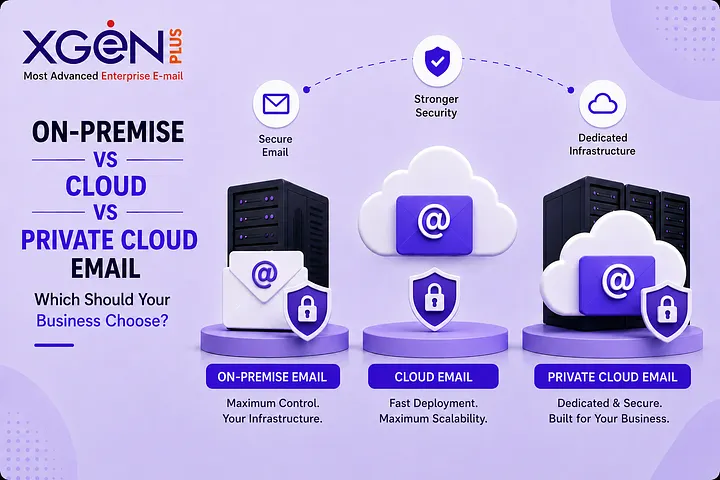
On-Premise vs Cloud vs Private Cloud Email: Which Is Best?

Choosing the right business email architecture is no longer just an IT infrastructure decision. For enterprises, BFSI organizations, government departments, and businesses handling sensitive information, where email data is stored, who controls the infrastructure, and how security is managed can directly affect compliance, business continuity, and risk.

The short answer: choose on-premises email when maximum control and data sovereignty are priorities; choose cloud email when scalability, speed, and low infrastructure management matter most; and choose private cloud email when you need dedicated infrastructure with a more managed cloud operating model.

On-Premises vs Cloud vs Private Cloud Email: What Is the Difference?

On-premises email runs on infrastructure controlled by the organization, cloud email uses provider-managed infrastructure, and private cloud email provides cloud capabilities through infrastructure dedicated to one organization. The right option depends on security requirements, data residency, customization, IT resources, scalability, compliance, and total cost of ownership.

Factor

On-Premises

Cloud

Private Cloud

Infrastructure

Organization-controlled

Provider-managed

Dedicated

Tenancy

Single organization

Usually multi-tenant

Single-tenant

Control

Very high

Provider-dependent

High

Scalability

Requires planning

High

High

IT responsibility

High

Low

Medium

Customization

Very high

Usually limited

High

Data sovereignty

Maximum control

Provider-dependent

High

Deployment

Slower

Fast

Moderate

Best suited for

Regulated/controlled environments

SMEs & startups

Enterprises & regulated workloads

NIST defines private cloud as infrastructure provisioned for exclusive use by a single organization, and it can exist either on-premises or off-premises.

Key takeaway: Don't select an email deployment model based only on the word "cloud." Evaluate control, ownership, security, data location, operational responsibility, and compliance.

What Is On-Premises Email?

On-premises email is a business email platform deployed within infrastructure owned or directly controlled by an organization. The organization manages the servers, storage, network, security policies, integrations, backups, and data lifecycle.

Why does on-premises email matter?

On-premises deployment can be valuable when organizations require:

Example

A government organization may host its email platform inside its own data center so that administrators retain direct control over servers, databases, authentication, encryption, backups, and access policies.

Advantages

Challenges

Organizations are also responsible for:

Key takeaway: On-premises email is most suitable when control, sovereignty, customization, or infrastructure isolation outweigh operational simplicity.

What Is Cloud Email?

Cloud email is a business email service delivered through provider-managed infrastructure. It allows organizations to use professional email without owning and operating the underlying servers, generally providing faster deployment, easier scalability, and lower infrastructure-management requirements.

Why does cloud email matter?

Cloud email can reduce the need to manage:

Example

A 50-person startup can provision professional email accounts without purchasing servers or building an internal mail infrastructure.

Advantages

What should businesses verify?

Cloud doesn't eliminate security responsibilities. Organizations should evaluate:

XgenPlus currently lists cloud email plans, including a Starter plan priced at ₹21 per user/month when billed annually, with GST extra. Pricing and plan terms should always be verified before purchase.

Key takeaway: Cloud email is generally strongest for organizations prioritizing speed, scalability, accessibility, and reduced infrastructure management.

What Is Private Cloud Email?

Private cloud email provides cloud-style infrastructure dedicated exclusively to one organization. Unlike a typical shared environment, the organization receives dedicated infrastructure while potentially retaining the operational convenience of managed cloud services.

Why does private cloud matter?

Private cloud can balance:

Control + scalability + isolation + managed operations

It can be particularly relevant for:

Example

A financial institution may require dedicated email infrastructure and stronger isolation but may not want to operate every infrastructure layer internally.

Private cloud can provide that middle ground.

Key benefits

XgenPlus describes private cloud as a dedicated, single-tenant environment and also presents on-premises, sovereign cloud, and hybrid deployment approaches.

Key takeaway: Private cloud is attractive when an organization requires dedicated infrastructure and stronger control without necessarily managing every infrastructure layer itself.

Which Email Deployment Model Is More Secure?

None is automatically more secure. Security depends on implementation, identity protection, encryption, patching, monitoring, segmentation, backup, disaster recovery, and incident response. A poorly managed on-premises environment can be less secure than a professionally operated cloud platform.

On-premises

Provides greater direct control but requires strong internal security operations.

Cloud

It can provide mature infrastructure security but introduces provider dependency and requires strong identity and access management.

Private cloud

Can offer dedicated infrastructure and isolation while providing greater customization than many shared environments.

Practical application

Regardless of deployment model, enterprises should evaluate:

Key takeaway: Compare security controls and operational maturity, not simply "cloud vs on-premises."

Why PKI Matters for Business Email

Public Key Infrastructure (PKI) enables digital certificates and cryptographic keys to establish trust, support digital signatures, verify identity, and encrypt communications. Technologies such as S/MIME can provide authentication, message integrity, digital signatures, and encryption for email.

Why it matters

PKI can be particularly important for:

Example

A bank sending a confidential document can use certificate-based email security to authenticate the sender, digitally sign the message, verify integrity, and encrypt sensitive content.

The IETF's S/MIME specification defines cryptographic services including authentication, integrity, digital signatures, and encryption.

Key takeaway: Organizations handling sensitive communications should evaluate PKI, Certificate Authority integration, digital signatures, and encryption as part of their email architecture.

Why IDN Support Matters in Business Email

Internationalized Domain Names (IDNs) allow domain names to use Unicode characters from different writing systems, supporting organizations operating across multilingual markets and local-language digital identities.

Why does IDN matter?

IDN capabilities can support:

ICANN notes that IDNs allow domain names to use scripts including Arabic, Chinese, Cyrillic, and Devanagari.

What should organizations verify?

Businesses requiring internationalized email should check:

Key takeaway: IDN support can be an important requirement for organizations serving multilingual customers or operating across regional markets.

Which Email Solution Is Best for BFSI?

BFSI organizations should select an email architecture based on data residency, regulatory requirements, identity security, encryption, auditability, resilience, infrastructure control, and vendor risk. Private cloud, on-premises, or hybrid architectures may be appropriate for highly regulated workloads.

BFSI email security checklist

XgenPlus specifically positions its email offering for BFSI environments with options including private cloud, sovereign cloud, on-premises, and hybrid/air-gapped deployments.

Key takeaway: BFSI organizations should ask, "What architecture provides demonstrable control over data, identity, security, resilience, and compliance?" rather than simply asking whether cloud or on-premises is better.

How Much Does Business Email Cost?

Cloud email generally offers predictable subscription-based pricing, while on-premises and private cloud require broader consideration of infrastructure, staffing, security, backup, disaster recovery, support, and implementation. Total cost of ownership is more meaningful than comparing per-user pricing alone.

Consider these costs

Cloud

On-premises

Private cloud

TCO formula

3–5 Year TCO = Infrastructure + Software + People + Security + Backup + DR + Migration + Support + Exit Costs

Key takeaway: Don't choose an email platform solely because its monthly per-user price is lower. Compare risk-adjusted total cost of ownership.

How Should Your Business Choose an Email Architecture?

Start with your business requirements rather than vendor features. Assess data sensitivity, regulatory obligations, data residency, IT capability, customization requirements, scalability, business continuity, and three-to-five-year TCO before selecting an email deployment model.

Use this decision framework

Choose Cloud when:

Choose On-Premises when:

Choose Private Cloud when:

Choose Hybrid when:

Key takeaway: The correct architecture is the one that aligns security, compliance, control, scalability, IT capability, and long-term business strategy.

Common Mistakes When Selecting Business Email

The most common mistake is choosing an email platform based only on price or popularity. Organizations should also evaluate data sovereignty, security architecture, identity controls, backup, disaster recovery, integrations, vendor dependency, and the ability to migrate away in the future.

Avoid these mistakes:

  1. Choosing purely on price
  2. Assuming cloud is automatically insecure
  3. Assuming on-premises automatically means secure
  4. Confusing private cloud with a single dedicated server
  5. Ignoring data residency
  6. Ignoring PKI and advanced email security
  7. Failing to calculate long-term TCO
  8. Not planning an exit or migration strategy

Key takeaway: Business email should be treated as an enterprise architecture and security decision, not merely a mailbox purchase.

On-Premises vs Cloud vs Private Cloud: Final Verdict

Cloud is generally best for simplicity and scalability; on-premises is best for maximum control and sovereignty; and private cloud is best when an organization needs dedicated infrastructure with a more managed cloud operating model. There is no universally superior deployment model; requirements should determine the architecture.

Your Priority

Best Starting Point

Fast deployment

Cloud

Low infrastructure responsibility

Cloud

Maximum control

On-Premises

Data sovereignty

On-Premises / Private Cloud

Dedicated infrastructure

Private Cloud

Deep customization

On-Premises / Private Cloud

Small IT team

Cloud

Strict isolation

Private Cloud / On-Premises

Air-gapped environment

On-Premises

Highly regulated workloads

Private Cloud / On-Premises / Hybrid

For organizations evaluating a Business Email Solution, XgenPlus offers multiple deployment approaches, including cloud, on-premises, private cloud, sovereign cloud, and hybrid architectures.

The best email architecture isn't the one with the lowest price or the newest technology. It is the one that gives your organization the right balance of security, control, compliance, scalability, resilience, and operational efficiency.

Ready to Evaluate Your Business Email Architecture?

Explore XgenPlus and determine whether cloud, on-premises, private cloud, or hybrid email best fits your organization's requirements.

Explore XgenPlus Business Email →

Frequently Asked Questions

1. Is on-premises email more secure than cloud email?

Not automatically. Security depends on implementation, patching, monitoring, identity controls, encryption, backup, and incident response.

2. Is a private cloud the same as on-premises?

No. A private cloud is dedicated to one organization and can exist either on-premises or off-premises.

3. Which email solution is best for small businesses?

Cloud email is generally the easiest starting point because it reduces infrastructure management and enables rapid deployment.

4. Which email solution is best for government?

Government organizations should evaluate data sovereignty, residency, security, compliance, continuity, and infrastructure control. On-premises, private cloud, sovereign cloud, or hybrid models may be appropriate.

5. Which email model is best for BFSI?

Private cloud, on-premises, or hybrid can be suitable for highly regulated BFSI workloads where dedicated infrastructure, auditability, security, and data control are important.

6. Is cloud email cheaper than on-premises?

Cloud generally has lower upfront infrastructure costs, but organizations should compare 3–5-year TCO, including staffing, security, backup, DR, migration, and support.

7. Why is PKI important for email?

PKI enables certificate-based trust, digital signatures, identity verification, and encryption. S/MIME is one technology that uses these capabilities.

8. Why does IDN support matter?

IDNs allow domain names to use local-language scripts, which can benefit multilingual organizations and regional markets.

9. Can businesses migrate from cloud to on-premises?

Yes, but organizations should verify data portability, mailbox export, DNS control, archive migration, identity integration, and vendor exit procedures before selecting a platform.

Share:

More in Business

View category