
Globhy
AllBusinessHealthMarketingTechnologyTravelUncategorized
DSDaniel Smith1 hour ago2 views

Share:

Technology

How to Build a Custom iPhone App with On-Device AI for Enterprise Workflows

How to Build a Custom iPhone App with On-Device AI for Enterprise Workflows

Enterprise mobile apps are moving beyond dashboards, forms, and remote access to business systems. The next generation of iPhone applications can understand text and images, extract information, assist employees, and execute workflow actions directly from the device.

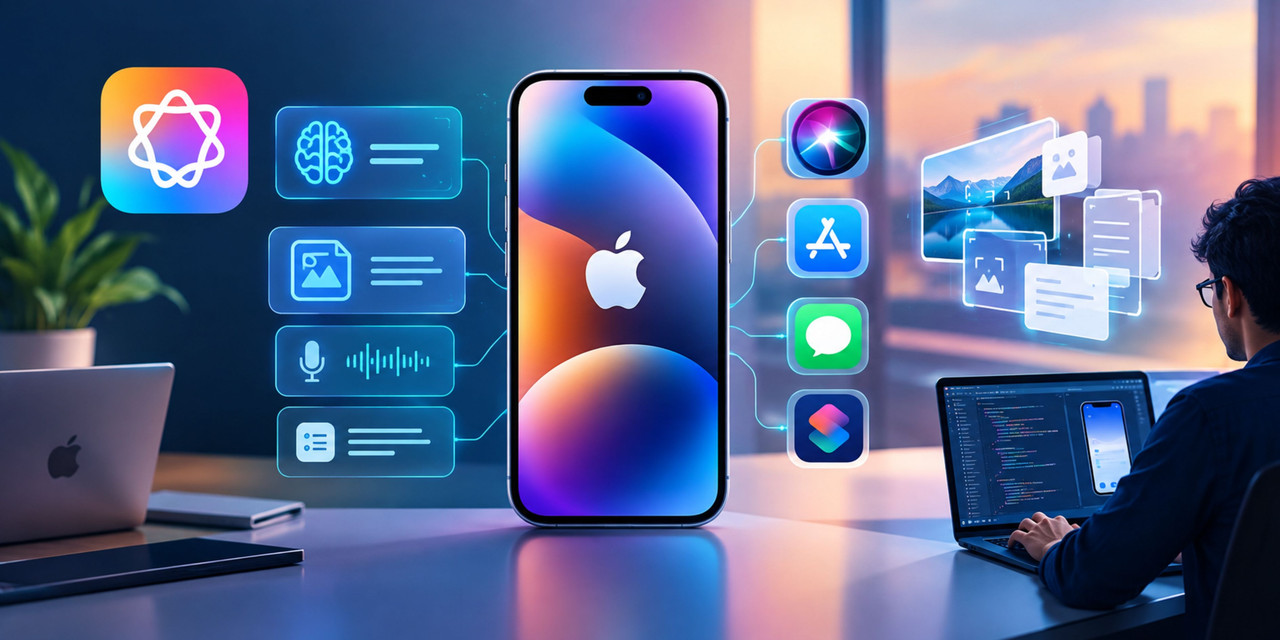
Apple’s latest platform direction makes this shift particularly relevant. The Foundation Models framework gives developers access to on-device language models, while multimodal prompts, Vision tools, Core AI, and App Intents allow businesses to build intelligent experiences that interact with real workflows.

For enterprises, this creates an important opportunity: build a custom iPhone application where sensitive operational tasks can be assisted by AI without sending every piece of information to a remote AI service.

What Makes an Enterprise iPhone AI App Different?
A consumer AI app might summarize text or generate a response. An enterprise iPhone app has a different responsibility.

It may need to:

  • Read invoices, inspection reports, or shipping documents
  • Extract information from photographs
  • Summarize customer interactions
  • Identify missing information in forms
  • Work with limited or no connectivity
  • Follow employee permissions
  • Connect with ERP, CRM, HR, or inventory systems
  • Trigger approved business actions
  • Protect sensitive company information

This is why Custom iPhone app development services should begin with the workflow rather than the AI model.

For example, consider a field-service technician inspecting industrial equipment. Instead of manually entering every observation, the technician could photograph a component, use on-device AI to interpret the image and accompanying notes, generate a structured inspection summary, and submit the result for approval.

The objective is not simply “adding AI.” It is reducing the number of manual steps between observation and business action.

Step 1: Identify the Enterprise Workflow

Start by mapping the workflow that the iPhone application needs to improve.

A useful workflow map includes:

Employee → Input → AI processing → Business rule → Human approval → System action

For example:

Technician → photo + voice note → AI extracts issue → validates required fields → manager approval → creates maintenance ticket

This approach prevents AI from becoming an isolated chatbot inside an otherwise conventional application.

The reference material on modern mobile development also highlights that AI can accelerate development, but enterprise applications still require careful engineering around security, integrations, performance, permissions, and scalability.

Step 2: Decide What Should Run On Device

Not every AI operation belongs on the iPhone.

The architecture should divide workloads into three categories:

On-device AI

Use on-device processing for tasks such as:

  • Text summarization
  • Entity extraction
  • Classification
  • Text refinement
  • Image and text understanding
  • Short natural-language interactions
  • Offline assistance

Apple describes the Foundation Models framework as suitable for tasks including summarization, entity extraction, text and image understanding, structured generation, and tool calling.

Private cloud processing

More demanding reasoning or larger context requirements can be handled through Private Cloud Compute where appropriate.

Enterprise backend

Business-critical operations should remain connected to the enterprise backend.

For example, AI can recommend that an inventory item be reordered, but the actual purchase request should pass through the organization's authentication, approval, and business-rule systems.

This separation is essential. AI should assist decisions and workflows without automatically bypassing enterprise controls.

Step 3: Build Around Apple’s Foundation Models Framework

For a native iPhone application, the Foundation Models framework provides a direct route to Apple’s on-device intelligence.

Apple has expanded the framework to support multimodal inputs, dynamic model configurations, tool calling, and compatibility with other language models that conform to its Language Model protocol.

This opens up practical enterprise use cases.

For example, an insurance claims application could combine:

Photo + employee notes + structured claim data → AI extraction → structured claim record

A warehouse application could use:

Barcode + product image + natural-language instruction → inventory lookup → recommended action

A legal operations application could use:

Document + user question → on-device extraction and summary → next-step recommendation

The key is to constrain AI around clearly defined enterprise tasks instead of giving it unrestricted access to business systems.

Step 4: Add Vision and Multimodal Intelligence

Enterprise workflows frequently begin with something other than text.

A worker may photograph:

  • A damaged machine
  • A product label
  • A receipt
  • A meter
  • A barcode
  • A construction site
  • A delivery package
  • A handwritten document

Apple’s current Foundation Models capabilities allow multimodal prompts, while Vision framework tools such as OCR and barcode recognition can be used by models on-device.

This makes the camera an important enterprise input rather than simply a media feature.

For example, instead of asking a warehouse employee to type a 12-digit product identifier, the app can scan the barcode, retrieve the relevant product information, and present the next permitted action.

Step 5: Turn AI Into Actions With App Intents

An AI assistant becomes much more valuable when it can connect to application capabilities.

Apple’s App Intents framework exposes an application's actions and content to Siri, Apple Intelligence, Shortcuts, and other system experiences.

For an enterprise app, this could mean commands such as:

  • “Show today's unresolved service requests.”
  • “Find the latest inspection for this asset.”
  • “Create a draft expense report.”
  • “Open the customer's account.”
  • “Start the delivery checklist.”

The important architectural distinction is that the AI should call predefined application capabilities rather than directly manipulating databases.

This provides a controlled bridge between natural language and enterprise operations.

Step 6: Design for Offline and Intermittent Connectivity

On-device AI becomes especially valuable when employees work outside reliable network coverage.

Consider:

  • Field technicians
  • Construction teams
  • Logistics workers
  • Healthcare workers
  • Utility inspectors
  • Sales representatives
  • Manufacturing operators

The application can process eligible information locally, store structured results securely, and synchronize with enterprise systems when connectivity returns.

However, offline functionality requires more than caching screens. Developers must define synchronization rules, conflict handling, local encryption, retry mechanisms, and data-retention policies.

Step 7: Choose Native iOS or Cross-Platform Architecture Carefully

Native Swift and SwiftUI are particularly important when the application depends heavily on Apple's newest AI and system frameworks.

Cross-platform technologies such as React Native can still be valuable when an enterprise needs shared application logic across iOS and Android. Current mobile development trends continue to position React Native and other cross-platform frameworks as practical choices for reducing duplicated development effort.

A hybrid architecture can also work:

Shared business logic + cross-platform UI + native Swift modules for Apple-specific AI capabilities

This is where working with a react native app development company can make sense when iOS is only one part of a broader enterprise mobility strategy.

For organizations requiring broader Mobile Application Development Services, the technology choice should follow the workflow, device requirements, AI dependencies, and long-term maintenance model—not simply the popularity of a framework.

Step 8: Build Security Into the AI Workflow

Enterprise AI cannot be treated like a normal chatbot.

The application should define:

  • Which data AI can access
  • Which tools AI can call
  • Which actions require approval
  • Which users can execute particular actions
  • What information can leave the device
  • How AI outputs are validated
  • How actions are logged

Apple's current developer guidance specifically addresses security controls for agentic features and recommends security checkpoints around agent execution and App Intents integrations.

AI evaluation should also become part of testing. Apple now provides an Evaluations framework for assessing AI behavior under dynamic conditions rather than relying only on conventional unit tests.

A Practical Enterprise Architecture

A production-ready custom iPhone AI application can follow this structure:

iPhone UI
↓
SwiftUI / React Native interface
↓
AI orchestration layer
↓
Foundation Models / Core AI / Vision
↓
Controlled tools and App Intents
↓
Authentication + business rules
↓
Enterprise APIs
↓
ERP / CRM / databases / workflow systems

This architecture keeps AI close to the user while keeping business-critical systems governed by conventional enterprise controls.

Building the Right App Strategy

AI app builders and low-code platforms are increasingly useful for prototypes and simple internal tools. They can accelerate validation and help teams test ideas quickly. However, complex enterprise applications still require dedicated attention to security, integrations, permissions, scalability, and maintainability.

For organizations building production-grade AI mobility solutions, Debut Infotech approaches product engineering across AI, mobile, cloud, and enterprise workflows, with capabilities spanning iOS development, AI engineering, agentic systems, and workflow automation.

The real opportunity is not to create another iPhone app with an AI chatbot attached.

It is to create an intelligent enterprise workspace where the iPhone can understand what employees see, hear, scan, and type—and then help them complete the next approved business action.

As Apple's on-device AI capabilities continue expanding, Custom iPhone app development services can increasingly focus on privacy-aware, multimodal, workflow-driven applications rather than simple mobile versions of existing enterprise software.

Share:

More in Technology

View category