
Globhy
AllBusinessHealthMarketingTechnologyTravelUncategorized
DSDaniel Smith50 minutes ago2 views

Share:

Technology

How On-Device AI Is Transforming Mobile Apps with Private, Offline Intelligence

Discover how on-device AI is transforming mobile apps with private, offline intelligence, lower latency, hybrid AI architectures, and smarter user experiences.

How On-Device AI Is Transforming Mobile Apps with Private, Offline Intelligence

For years, mobile apps have depended on cloud APIs for artificial intelligence. A user sends data to a remote server, the server runs the model, and the result comes back to the phone. This architecture works well for large AI models, but it introduces network latency, recurring inference costs, privacy concerns, and a dependency on connectivity.

On-device AI is changing that architecture.

Instead of sending every request to the cloud, mobile apps can now run increasingly capable AI models directly on smartphones. Modern devices have CPUs, GPUs, and neural processing hardware designed to accelerate local inference, while platforms such as Apple and Android are providing developers with higher-level APIs for integrating generative AI directly into applications.
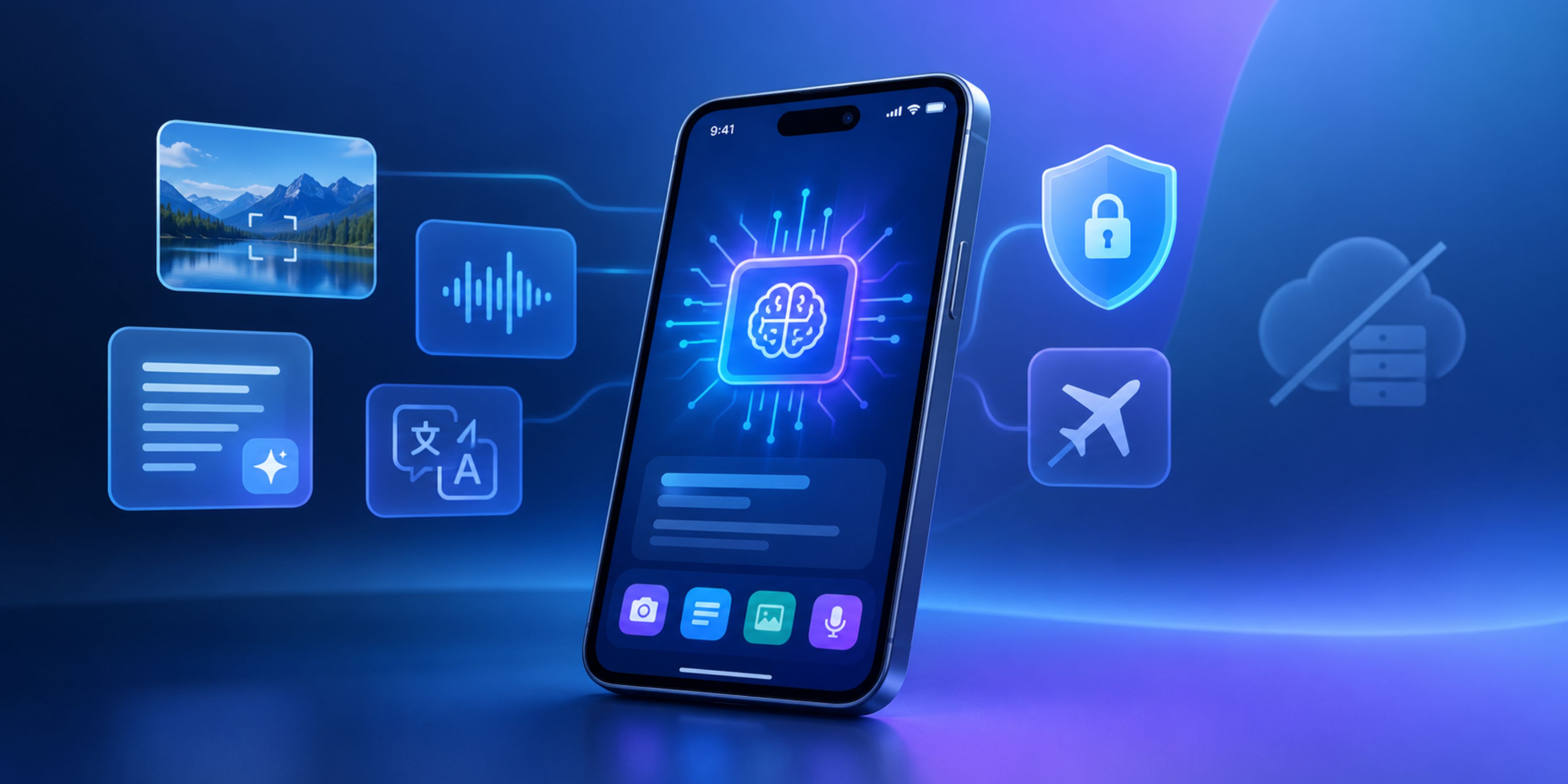
Apple's Foundation Models framework provides access to on-device language models for tasks such as summarization, extraction, text and image understanding, and structured generation. Android similarly provides Gemini Nano through AICore and ML Kit GenAI APIs for tasks including summarization, rewriting, proofreading, image description, and speech recognition.

For teams investing in AI-powered mobile app development, this means intelligence no longer has to mean “send everything to an AI server.”

What Makes On-Device AI Different?

On-device AI means that model inference happens locally on the user's smartphone rather than exclusively on a remote cloud server.

Consider a document-scanning application. A traditional AI workflow might upload an image to a server for OCR, classification, or summarization. An on-device implementation can process the image locally, extract relevant information, and return the result without sending the original document to a backend.

The difference is architectural, not merely technical.

A modern mobile AI architecture can look like:

User input → Mobile app → On-device model → Local result

Instead of:

User input → Mobile app → Internet → AI API → Server processing → Internet → Mobile app

The local approach removes an entire network round trip from the critical interaction.

That makes on-device inference particularly useful for features where milliseconds matter, sensitive information is involved, or connectivity cannot be guaranteed.

1. Privacy Becomes an Architecture Decision

Privacy is one of the strongest reasons to move selected AI workloads onto the device.

If a mobile app analyzes a private photo, personal note, voice recording, document, or message locally, that data does not necessarily need to be transmitted to a third-party AI service.

Android's Gemini Nano documentation specifically positions on-device generative AI as a way to process prompts locally without server calls, while Apple's current AI stack emphasizes on-device processing and privacy alongside cloud-based options.

This is particularly relevant for:

  • Financial applications processing personal transaction information
  • Healthcare applications handling sensitive documents
  • Enterprise applications working with internal information
  • Productivity apps analyzing private notes
  • Camera applications processing photos and video
  • Communication apps performing local rewriting or summarization

However, developers should not treat “on-device” as an automatic security guarantee. Models themselves can potentially be extracted, inputs can still be exposed through poorly designed application logic, and synchronized data may eventually reach a server. Privacy therefore needs to be considered across the complete application architecture.

2. Offline Intelligence Is Becoming a Real Product Feature

Offline functionality used to mean storing cached pages or downloaded content.

With on-device AI, offline can mean something much more powerful: the application can continue performing intelligent operations without an internet connection.

For example, imagine a field-service application used in locations with unreliable connectivity. A technician could photograph equipment, classify an issue, summarize maintenance notes, or receive contextual assistance locally instead of waiting for a cloud API.

The same principle applies to travel, logistics, education, personal productivity, and industrial applications.

NextComputing describes edge AI as processing intelligence close to where data is generated and notes that some deployments can continue functioning during internet outages, although synchronization, monitoring, updates, or other cloud-dependent operations may still require connectivity.

This distinction is important: offline AI does not necessarily mean the entire app becomes offline. It means specific intelligent capabilities can continue operating locally.

3. Lower Latency Changes Mobile UX

Cloud AI introduces unavoidable network variables.

Even if an AI API responds quickly, the application still has to send the request, wait for processing, receive the response, and update the interface.

On-device inference eliminates that network dependency for local workloads.

This is especially valuable for:

  • Live camera analysis
  • Voice interactions
  • Text suggestions
  • Image classification
  • Document scanning
  • Real-time personalization
  • Accessibility features
  • Local search and information extraction

The result is not simply a faster backend response. It changes how developers can design the interaction itself.

Instead of building a UI around a “Submit → Wait → Result” pattern, developers can create continuous AI interactions where the model responds as the user types, speaks, moves the camera, or interacts with content.

4. Mobile AI Is Moving Toward Hybrid Architectures

The biggest mistake would be assuming that every AI feature should run on-device.

Small or specialized tasks are excellent candidates for local inference. Large reasoning workloads, complex agentic workflows, massive context windows, and resource-intensive models may still benefit from cloud infrastructure.

This is why hybrid AI is becoming an important architectural pattern.

For example:

On-device: Text classification → local

On-device: Personal photo understanding → local

On-device: Short summarization → local

Cloud: Large-scale document analysis → server

Cloud: Complex multi-step reasoning → server

Hybrid: Local preprocessing → cloud reasoning → local presentation

Apple's current Foundation Models architecture explicitly supports this type of model selection. Developers can work with Apple's on-device model while also using Private Cloud Compute or other server-based models when greater reasoning capability or context is required.

This gives product teams more control over the trade-off between privacy, latency, model capability, and operating cost.

5. Apple and Android Are Making Local AI Easier to Integrate

The biggest shift is that developers increasingly don't need to build the entire on-device AI infrastructure themselves.

Apple's Foundation Models framework provides native APIs for working with on-device models, structured output, tool calling, multimodal prompts, and model configurations. Apple's Core AI technology is also designed specifically for running AI models on Apple hardware without server dependencies.

Android is taking a similar platform-level approach. Gemini Nano runs through Android's AICore system service, while ML Kit GenAI APIs expose common capabilities through higher-level interfaces. AICore also manages model distribution and hardware acceleration, reducing some of the deployment complexity for developers.

This platform support matters because mobile AI adoption is no longer dependent entirely on third-party cloud APIs.

6. React Native Apps Can Participate in the Shift

On-device AI does not automatically require abandoning cross-platform development.

React Native applications can use native modules and platform-specific integrations when a feature needs access to device-level AI capabilities. JavaScript can continue handling application logic and UI while native layers communicate with platform AI frameworks.

This creates an interesting architecture:

React Native UI → Native AI bridge → Device AI runtime → Local result

For teams using react native app development services, the practical challenge is determining which workloads should remain in the JavaScript layer and which should be delegated to native platform capabilities.

This becomes particularly important for camera processing, speech, local model inference, hardware acceleration, and performance-sensitive workflows.

7. The New Challenge: Designing for Device Variability

On-device AI also introduces a constraint that cloud AI largely hides: not every smartphone has the same computational capability.

A model that performs smoothly on a recent flagship device may consume too much memory, battery, or processing capacity on an older phone.

Developers therefore need to consider:

  • Supported device hardware
  • RAM availability
  • NPU/GPU acceleration
  • Model size
  • Quantization
  • Inference latency
  • Battery consumption
  • Thermal throttling
  • Fallback behavior

Model optimization becomes part of mobile product development rather than a separate machine-learning concern.

A sensible implementation can use a capability-based approach: detect supported hardware and OS capabilities, select an appropriate model or feature level, and fall back to a cloud model or conventional application flow when necessary.

What This Means for Mobile App Development in 2026

On-device AI is moving mobile applications from cloud-dependent intelligence toward distributed intelligence.

The most effective apps will not necessarily choose between cloud AI and local AI. They will decide which intelligence belongs where.

A camera feature may need local inference for immediate feedback. A complex enterprise analysis may require a cloud model. A privacy-sensitive workflow may keep its first stage entirely on the device. An AI agent may combine local perception with cloud reasoning.

That architectural flexibility is becoming a competitive consideration in AI-powered mobile app development.

For businesses planning intelligent mobile products, the opportunity is not simply to add an AI chatbot. It is to rethink where intelligence happens, what data needs to leave the device, and which interactions should work even when the network does not.

At Debut Infotech, this approach can be applied across native and cross-platform products, from privacy-focused mobile experiences to AI-assisted enterprise applications. Teams exploring iOS App Development Solutions can leverage Apple's expanding on-device AI capabilities, while cross-platform products can combine React Native with native AI integrations where performance and platform capabilities require it.

The result is a new class of mobile application: private when it should be, connected when it needs to be, and intelligent even when the internet isn't available.

The article is intentionally centered on specific architectural changes—local inference, hybrid AI, Apple Foundation Models, Gemini Nano/AICore, React Native/native bridges, device variability, and offline workflows rather than generic AI benefits.

Share:

More in Technology

View category
AI Recruiting Automation Agents: How Intelligent Systems Are Changing Modern Hiring
Technology
2

AI Recruiting Automation Agents: How Intelligent Systems Are Changing Modern Hiring

Recruiting has always involved a strange combination of human judgment and repetitive administrative work. Recruiters are expected to understand people, recognize potential, build relationships, and advise hiring managers. At the same time, much of their working day can disappear into tasks such as reviewing applications, updating candidate records, scheduling interviews, sending follow-ups, answering routine questions, and moving applicants between stages.

READ ARTICLE