
Share:
DVR Storage Planning for 30-Day Recording | Complete Storage Guide
TechnologyLearn how to plan DVR storage for 30-day recording with practical tips on camera resolution, compression methods, hard drive selection, and surveillance optimization.
Proper storage planning is one of the most important parts of designing an effective surveillance system. Whether you are installing security cameras for a home, office, retail shop, warehouse, or industrial environment, ensuring enough storage capacity for long-term recording is essential. Many users invest in cameras and DVR systems but overlook storage requirements, only realizing later that recordings are being overwritten sooner than expected.
For many businesses and homeowners, maintaining 30 days of recorded footage has become a common requirement. This recording duration allows users to review incidents, investigate events, and comply with operational or security policies. However, reaching a full month of storage depends on several factors, including video resolution, frame rate, compression technology, recording schedules, and the number of cameras connected.
Understanding these factors can help create a reliable surveillance setup while avoiding unnecessary storage expenses.
Why 30-Day Recording Matters
Long-term recording provides valuable security benefits. Security incidents are not always discovered immediately. Sometimes theft, unauthorized access, or suspicious activity may only become apparent after several days or weeks.
Thirty-day recording offers advantages such as:
- Extended video history for investigations
- Better security monitoring
- Compliance with business policies
- Reduced risk of losing important footage
- Greater operational visibility
Many organizations consider 30-day retention a practical balance between storage cost and security requirements.
Key Factors That Affect DVR Storage
Planning storage begins with understanding what directly influences recording size. Multiple factors determine how much hard drive space your surveillance system consumes.
Camera Resolution
Higher-resolution cameras produce clearer images, but they also generate larger video files.
Common camera resolutions include:
- 720p
- 1080p
- 2MP
- 4MP
- 5MP
- 8MP
A higher resolution means more visual details but increased storage usage. For example, a system using eight high-resolution cameras will require considerably more storage than a setup with four standard cameras.
When planning for 30-day recording, selecting appropriate resolution levels becomes important.
Frame Rate Considerations
Frame rate refers to the number of video frames captured per second.
Higher frame rates create smoother recordings, especially for areas with significant movement. However, increased frame rates also consume additional storage.
Typical frame rates include:
- 10 FPS
- 15 FPS
- 25 FPS
- 30 FPS
For many surveillance environments, moderate frame rates can deliver reliable footage while helping reduce storage consumption.

Video Compression Technology
Compression technology significantly affects storage requirements. Modern DVR systems use advanced video compression standards that reduce file sizes without major loss in image quality.
Common compression methods include:
- H.264
- H.265
- H.265+
Newer technologies such as H.265 and H.265+ generally require less storage compared to older compression methods.
Efficient compression allows organizations to store more footage while minimizing hard drive requirements.
Continuous Recording vs Motion Recording
Recording mode has a direct impact on storage usage.
Continuous recording captures footage around the clock, regardless of activity. This method provides complete coverage but requires large amounts of storage space.
Motion-based recording only captures video when movement occurs.
Benefits of motion recording include:
- Lower storage consumption
- Extended recording retention
- Reduced unnecessary footage
- Faster video searches
For locations with limited activity, motion-based recording can dramatically increase storage efficiency.
Selecting the Right Hard Drive Capacity
Many users underestimate storage needs and install hard drives with insufficient capacity.
Surveillance systems typically use dedicated hard drives designed for continuous operation. Unlike standard desktop drives, surveillance hard drives are built to manage constant recording workloads.
Common storage capacities include:
- 1TB
- 2TB
- 4TB
- 6TB
- 8TB
- 10TB and above
The ideal capacity depends on:
- Number of cameras
- Recording duration
- Resolution settings
- Compression technology
- Recording mode
Planning ahead also allows room for future system expansion.
Number of Connected Cameras
The total number of cameras connected to a DVR directly affects storage requirements.
For example:
Four cameras recording continuously will require less storage than eight or sixteen cameras operating with the same settings.
Businesses often expand surveillance systems over time. Therefore, planning for future camera additions can prevent storage limitations later.
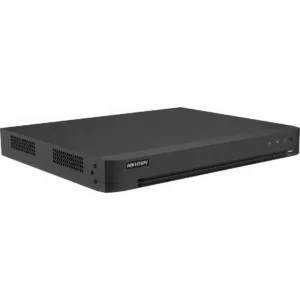
Many users researching surveillance systems frequently explore options such as Hikvision 8 channel DVR because such systems provide flexibility for moderate-sized installations and future upgrades.
Smart Recording Features Improve Storage Efficiency
Modern surveillance technology has introduced intelligent recording features that optimize storage consumption.
Smart functions may include:
- Motion detection
- Human detection
- Vehicle detection
- Scheduled recording
- Event-triggered recording
Instead of recording unnecessary footage, intelligent systems focus on meaningful events.
This approach not only saves storage but also improves search efficiency when reviewing footage.
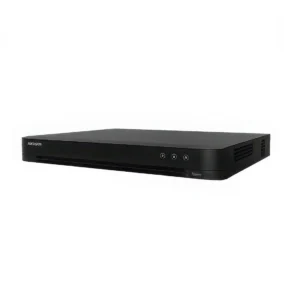
Advanced products like Hikvision AcuSense Dvr are often considered by users looking for smart detection capabilities that can improve overall recording efficiency.
Storage Planning Mistakes to Avoid
Several common mistakes can create problems in surveillance storage management.
Ignoring Future Expansion
Many users purchase storage based only on current requirements. Additional cameras may later exceed available storage capacity.
Using Standard Hard Drives
Regular computer hard drives are not designed for continuous surveillance workloads. Using dedicated surveillance drives improves reliability and lifespan.
Selecting Maximum Resolution Everywhere
Not every camera requires the highest possible settings.
For example:
- Parking areas may require moderate resolution.
- Entrances may need higher detail levels.
- Indoor hallways may operate effectively at lower settings.
Balanced settings reduce unnecessary storage consumption.
Overlooking Compression Settings
Incorrect compression configurations can waste valuable storage space.
Regular optimization ensures efficient recording performance.
Balancing Cost and Storage Requirements
Budget considerations often influence surveillance decisions. While selecting equipment, many buyers compare technical features alongside pricing factors.
Some users researching systems may evaluate dvr price in pakistan while balancing storage requirements and future expansion plans. However, choosing the lowest-cost option without considering recording needs can create long-term limitations.
Investing in appropriate storage capacity from the beginning often reduces future expenses and system upgrades.
Best Practices for 30-Day DVR Storage Planning
Organizations seeking reliable 30-day recording performance should follow practical planning steps:
- Estimate total camera count accurately
- Choose efficient video compression methods
- Use surveillance-grade hard drives
- Enable motion or smart recording where appropriate
- Allow extra storage for future expansion
- Regularly monitor storage usage
These practices help create a stable and efficient surveillance environment.
Learn how to plan DVR storage for 30-day recording with practical tips on camera resolution, compression methods, hard drive selection, and surveillance optimization.
Share:
More in Technology
View categoryTechnology
3
India's Top 6 Small Commercial Vehicles Made by Ashok Leyland
The Indian commercial vehicle industry has grown rapidly in recent years, fueled by the expansion of e-commerce, retail, agriculture, logistics, and infrastructure development.
ashok-leylandautomobileautomotivebusinesscommercial-vehiclesconstructionfeaturesindianewssmall-commercial-vehiclesspecificationstransportationtrucksvehicle
READ ARTICLETechnology
2
Why Google Business Profile Matters for UK Businesses
Discover the importance of Google Business Profile for UK businesses. Enhance visibility, attract local customers, and improve your online presence effectively.
READ ARTICLE