How Much Does It Cost to Develop a Mobile App? A Beginner’s Guide
Learn the costs of developing a mobile app for beginners. This guide covers app type, features, design, platform, team, and maintenance to help plan your budget and make informed decisions.
Key Takeaways
- Mobile app development costs vary widely depending on type, features, design, platform, and team, ranging from simple apps at $5,000 to complex apps over $150,000.
- Design and user experience (UI/UX) are crucial; intuitive, engaging designs increase user retention but may add to development costs.
- Cost-saving strategies include prioritizing essential features, building an MVP, using cross-platform development, and hiring experienced developers.
- Ongoing maintenance and updates should be planned for, typically 15–20% of the initial development cost annually, to ensure app performance and security.
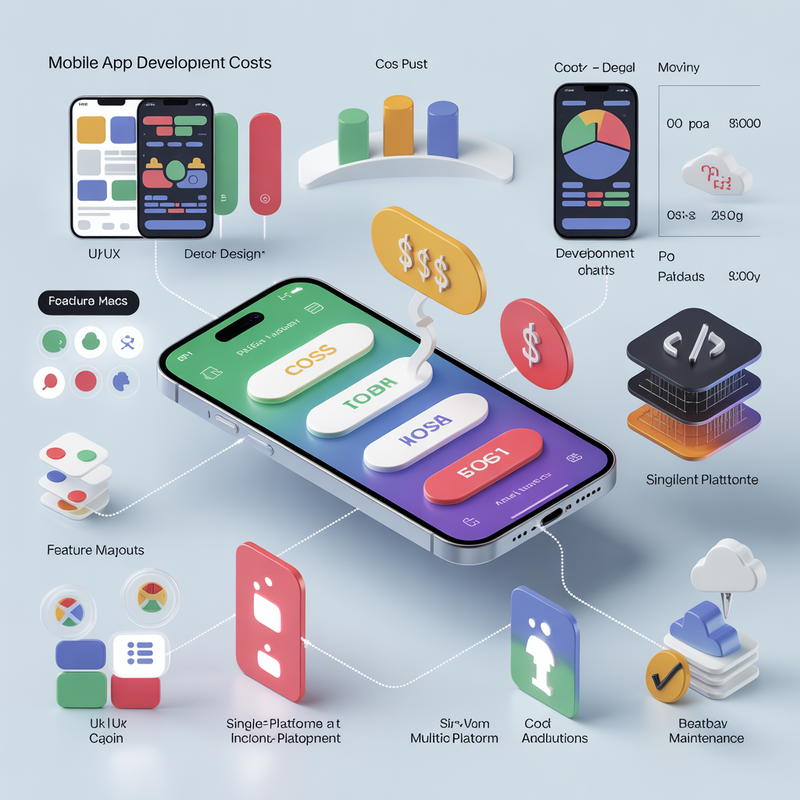
Wondering how much it costs to develop a mobile app? Whether you’re planning your first app or just exploring options, the price can vary widely. The cost depends on your app’s type, features, design, and platform. This guide breaks it down for beginners in a simple and easy-to-understand way, helping you plan your budget and avoid surprises.
Key Factors That Affect Mobile App Development Cost
Several factors influence the final price of your app. Understanding these can help you make smarter decisions.
Type of App
- Native Apps: Built specifically for iOS or Android. They provide the best performance but cost more.
- Cross-Platform Apps: Work on both iOS and Android with the same code, saving money and time.
- Simple Apps: Basic apps like calculators or informational guides are cheaper.
- Complex Apps: Apps with advanced features like real-time chat, e-commerce, or AR/VR integration are more expensive.
Design and User Experience (UI/UX)
- Custom UI/UX Design: Unique designs increase development time and cost.
- Template-Based Design: Cheaper but less flexible.
- Importance of UX: Intuitive design keeps users engaged and reduces app abandonment.
Features and Functionality
- Basic Features: Login, profile management, push notifications, simple analytics.
- Advanced Features: Payment gateways, AI recommendations, AR/VR features.
- Third-Party Integrations: Social logins, cloud storage, or API connections may add extra cost.
Platform Selection
- iOS Apps: Often slightly more expensive due to specific programming requirements.
- Android Apps: May cost less but need extra testing due to multiple devices.
- Both Platforms: Increases cost but maximizes audience reach.
Development Team and Location
- Freelancers: Lower cost but may lack consistency or support.
- Agencies: Full-service support but higher price.
- Regional Differences: Developers in North America or Europe charge more than those in Asia or Eastern Europe.
Maintenance and Updates
- Post-launch updates for bug fixes and new features.
- Operating system updates and security improvements.
- Plan for 15–20% of your initial development cost annually for maintenance.
Typical Mobile App Development Costs for Beginners
Here’s a breakdown to help you plan your budget:
Simple Apps: $5,000 – $20,000
- Basic features
- Template-based design
- Single platform
Medium Complexity Apps: $20,000 – $50,000
- Custom design
- Moderate features
- Support for both iOS and Android
Complex Apps: $50,000 – $150,000+
- Advanced features
- Custom design and UI/UX
- Both platforms with integrations
Note: Costs vary depending on your app requirements and the development team you choose.
Tips to Save Money Without Sacrificing Quality
Even as a beginner, you can manage costs effectively:
- Prioritize Essential Features
- Focus on the must-have features first.
- Add extra functionality later after testing the market.
- Start with an MVP (Minimum Viable Product)
- Launch a basic version to get user feedback.
- Avoid spending too much upfront.
- Use Cross-Platform Development
- Tools like Flutter or React Native reduce cost for both iOS and Android.
- Hire Experienced Developers
- Professionals prevent mistakes that can cost more later.
- Plan for Maintenance Early
- Budget for updates, bug fixes, and performance improvements.
Conclusion
Developing a mobile app as a beginner doesn’t have to be confusing or expensive. By understanding the factors that affect cost such as type, design, features, platform, development team, and maintenance you can plan wisely and make informed decisions.
Take the first step today: contact a professional development team, request a quote, and start turning your app idea into reality. Planning carefully now can save money and ensure your app succeeds.
Frequently Asked Questions (FAQs)
How much does it cost to develop a mobile app for beginners?
The cost varies depending on app type, features, design, and platform. Simple apps can cost between $5,000 – $20,000, medium complexity apps between $20,000 – $50,000, and complex apps with advanced features can exceed $150,000.
What factors most affect mobile app development costs?
Key factors include:
- Type of app (native vs. cross-platform)
- Features and functionality (basic vs. advanced)
- Design and user experience (UI/UX)
- Platform choice (iOS, Android, or both)
- Development team and location
- Maintenance and updates
Can I reduce development costs without compromising quality?
Yes. Beginners can save costs by:
- Starting with an MVP (Minimum Viable Product)
- Prioritizing essential features first
- Using cross-platform development tools
- Hiring experienced developers to prevent costly mistakes
What ongoing costs should I expect after the app is launched?
Post-launch costs include:
- Bug fixes and updates
- Compatibility with new operating systems
- Feature improvements and performance optimization Typically, maintenance costs are 15–20% of the initial development cost per year.
Should I hire a freelancer or an agency to develop my app?
- Freelancers: Lower cost but may lack consistency or full-service support.
- Agencies: Higher cost but provide full services including design, development, testing, and maintenance. The choice depends on your budget, project complexity, and support needs.